Build your combination.
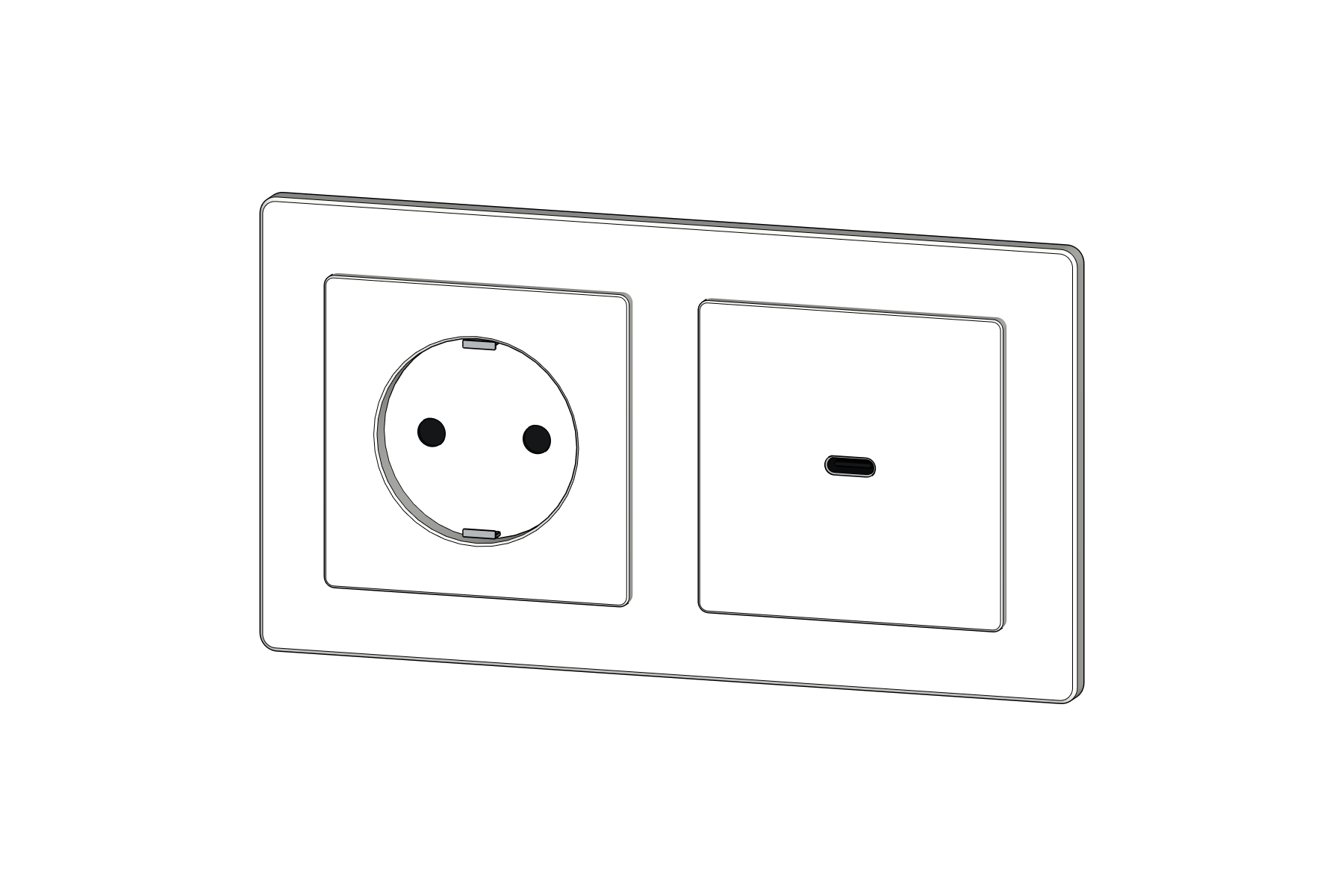
Schuko sockets, single and double switches, dimmers, RJ45, TV/SAT, USB-A, USB-C and blank plates. Horizontal or vertical.
SwitchBuilder · Public release coming soon
Compose electrical accessories for your SketchUp interiors. Adjust the frame, choose your modules and place the whole assembly in one go.
Compare Free & PRO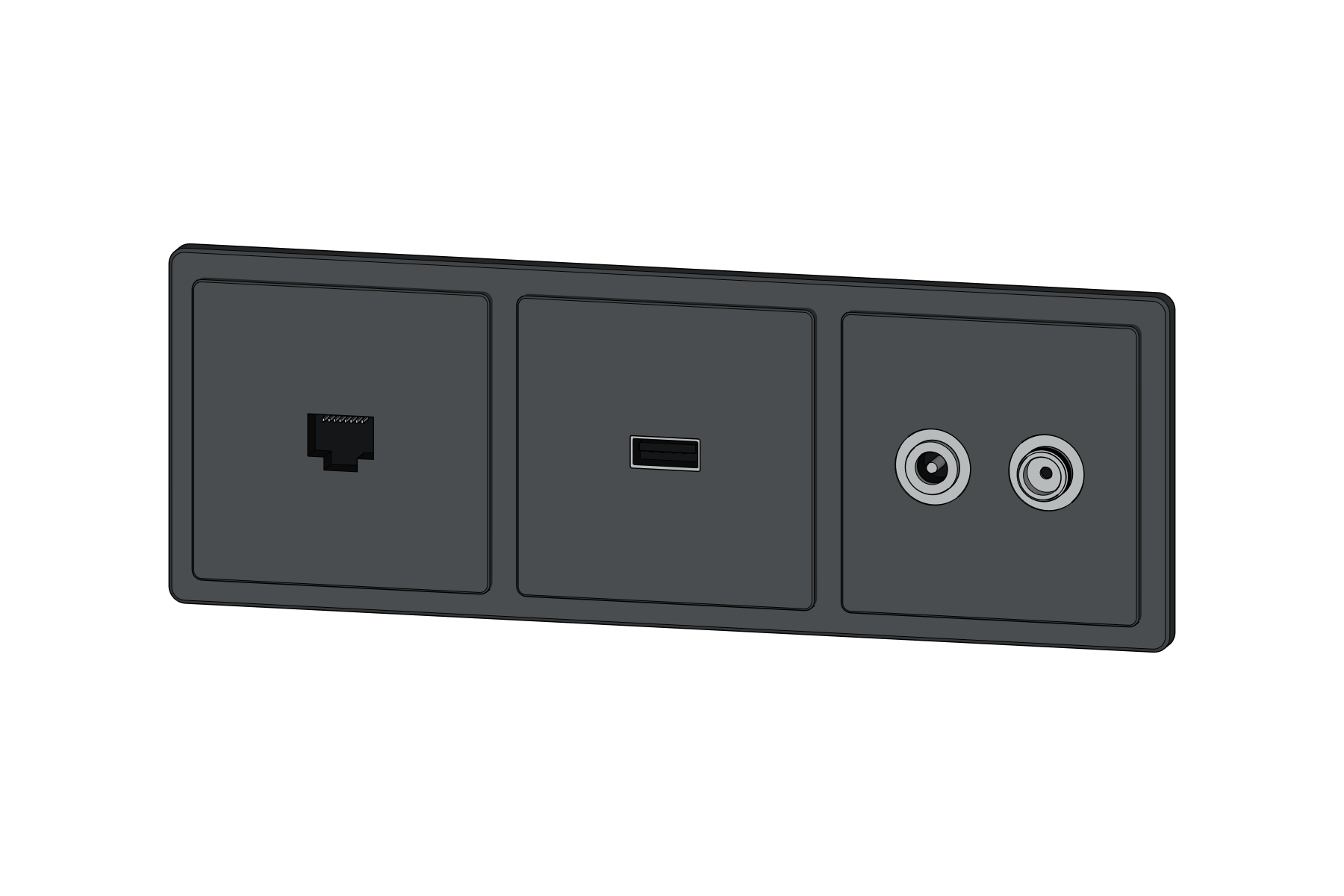
Actual development-build geometry shown in SketchUp. Release is in preparation; downloads and purchases are not yet available.
Schuko sockets, single and double switches, dimmers, RJ45, TV/SAT, USB-A, USB-C and blank plates. Horizontal or vertical.
Adjust the visible border width and corner radius. Choose white, black, anthracite or a custom colour.
Click a face to place your assembly. Set mounting height relative to a floor datum and save local presets for next time.
Both Free and PRO include Low-poly and High-poly geometry for new assemblies. Use lightweight components while you work, or detailed connectors for a closer view.
PRO adds whole-model detail switching, batch changes and parametric editing of existing assemblies.
The essentials for new assemblies.
Release coming soon.
More control across your project.
Planned price: US$39, one-time
Pricing and licensing terms will be confirmed before launch. Not available to purchase yet.
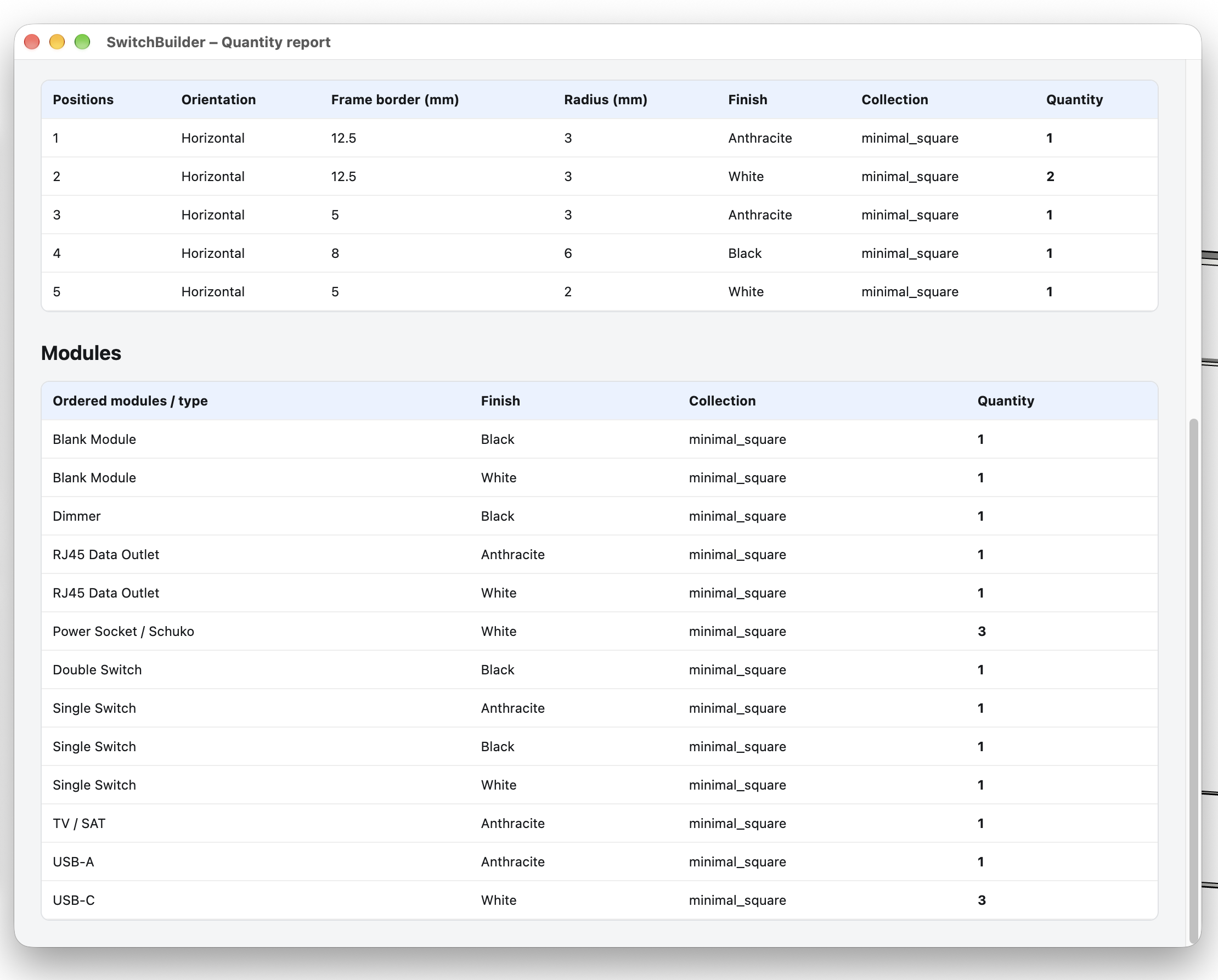
Summarise assemblies, frames and modules in your model, then export the quantities to CSV.
Reports contain generic component types, not manufacturer-specific ordering codes.
SwitchBuilder is designed for desktop SketchUp with Ruby extension support, not SketchUp for Web or iPad. Development testing has used SketchUp 2026 on macOS. The supported release-version and Windows compatibility list will be confirmed before launch.
No. The geometry is original, generic and manufacturer-neutral. SwitchBuilder is a modelling and visualisation tool, not an electrical calculation or wiring certification system. Connector cavities are shortened to stop in front of the wall plane.
Yes. Both editions include both detail levels for new assemblies. PRO adds larger frames and project-wide editing and reporting workflows.
Not yet. We are completing licensing and release testing. No payment is collected on this website, and the internal PRO Preview build is not a public release.
The plugin interface supports English and Czech.