Place the important lines.
Keep a joint or tile centre on a design axis instead of accepting whichever grid happens to fit.
TileBuilder · Private beta registration
Generate editable tile geometry around openings, align joints or centres to important axes, add real thickness and grout, then export a surface schedule.
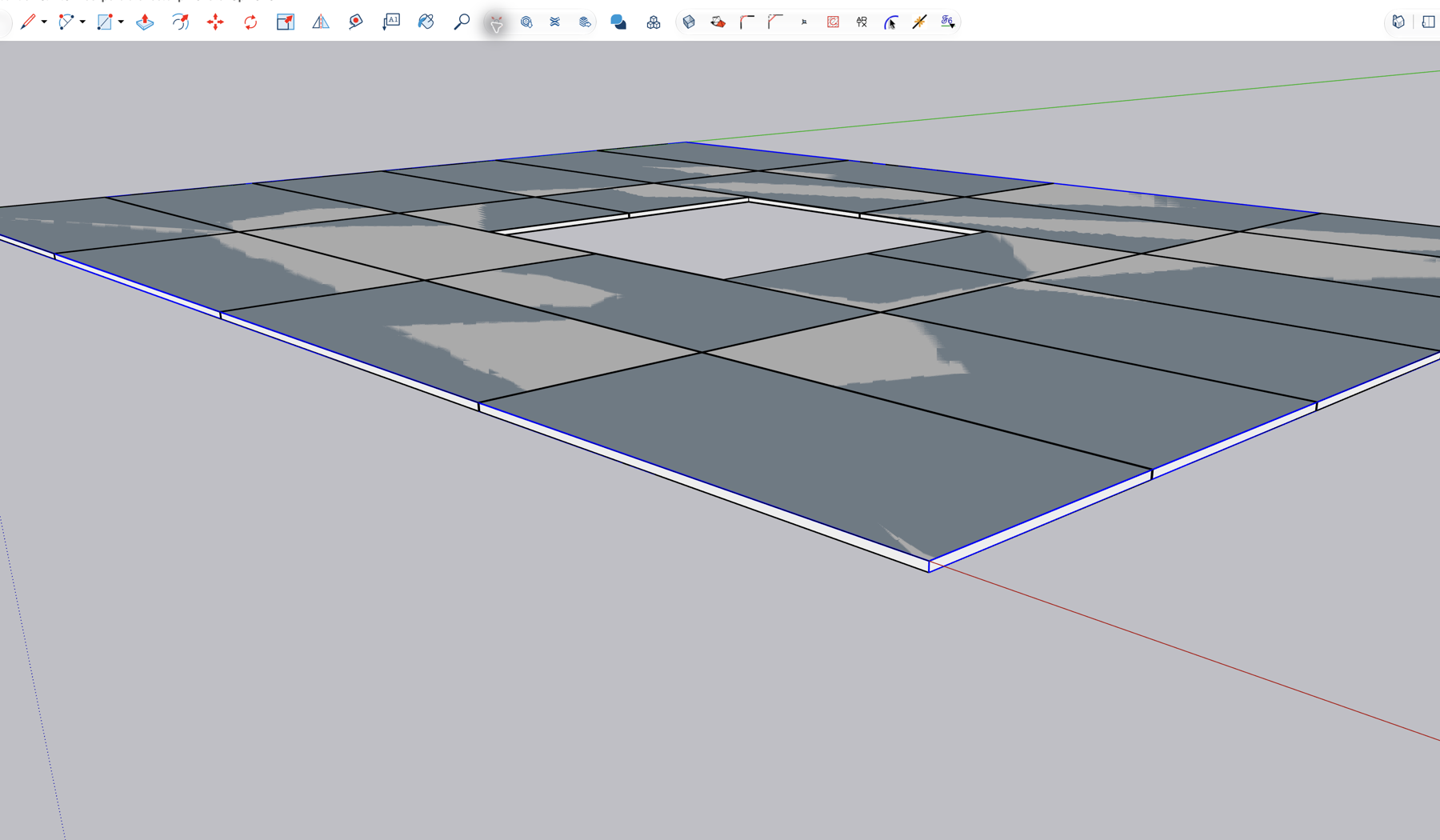
Actual geometry from TileBuilder 0.12.0 in SketchUp 2026 for macOS. The image uses a test texture and is not a product rendering.
Keep a joint or tile centre on a design axis instead of accepting whichever grid happens to fit.
Openings and segmented boundaries are retained while TileBuilder creates individual 3D tiles and recessed grout.
Reopen a generated surface, adjust the setup and replace it in one undoable SketchUp operation.
Complete one-surface workflow for straightforward layouts.
Alternatives and project-wide controls for real specification work.
The first cohort is for desktop SketchUp 2026 on macOS. Windows and older versions are valuable next-stage test targets, but are not yet claimed as validated.
No. Registration is open, but access is admitted in small cohorts. A tested invitation and licence are sent only after the beta build passes its expiry and downgrade checks.
The first cohort expires on 31 October 2026 at 23:59 CET. PRO features then lock, but geometry already created stays in your SKP file. The current Free edition remains the fallback for supported Free workflows.
Not yet as a validated claim. The current acceptance run passed on SketchUp 2026 for macOS. Windows testers may register for a later compatibility cohort.